

Chariot Moving AI Inventory
By: LiveSwitch
Description
The Chariot LiveSwitch AI Inventory integration allows Chariot and LiveSwitch customers to:
- Create a full moving inventory report from photos and videos with LiveSwitch Lucky AI
- Automatically import inventory directly into Chariot
- Save time by eliminating manual entry
Installation
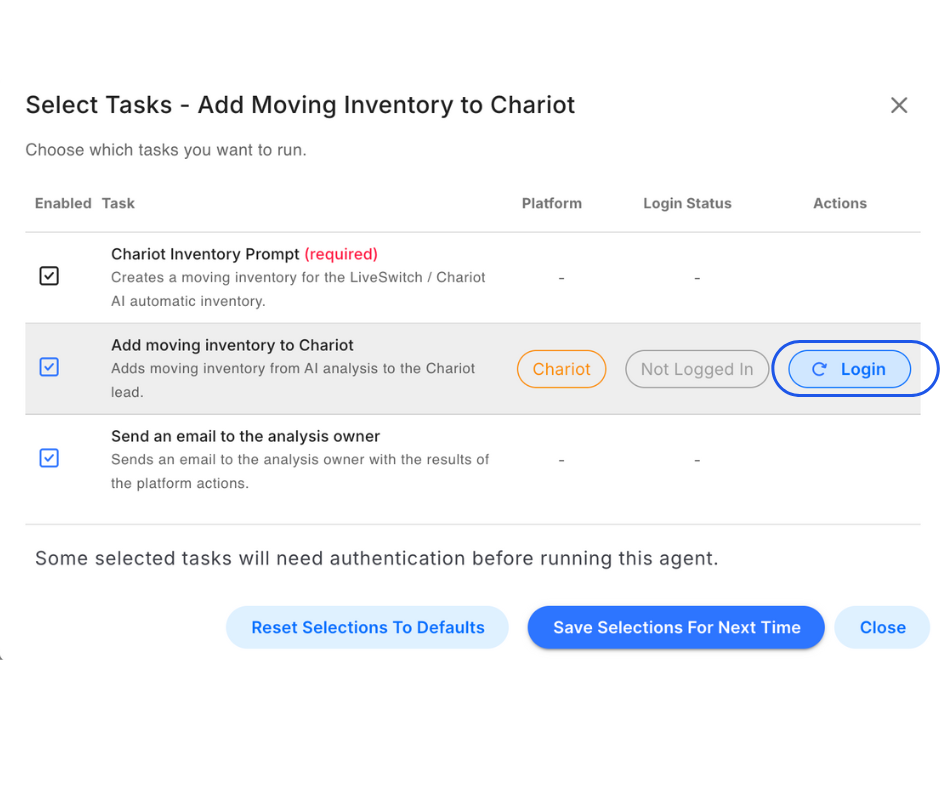
Step 1: Click the "Add Moving Inventory to Chariot" report.

Step 2: Click "Login."
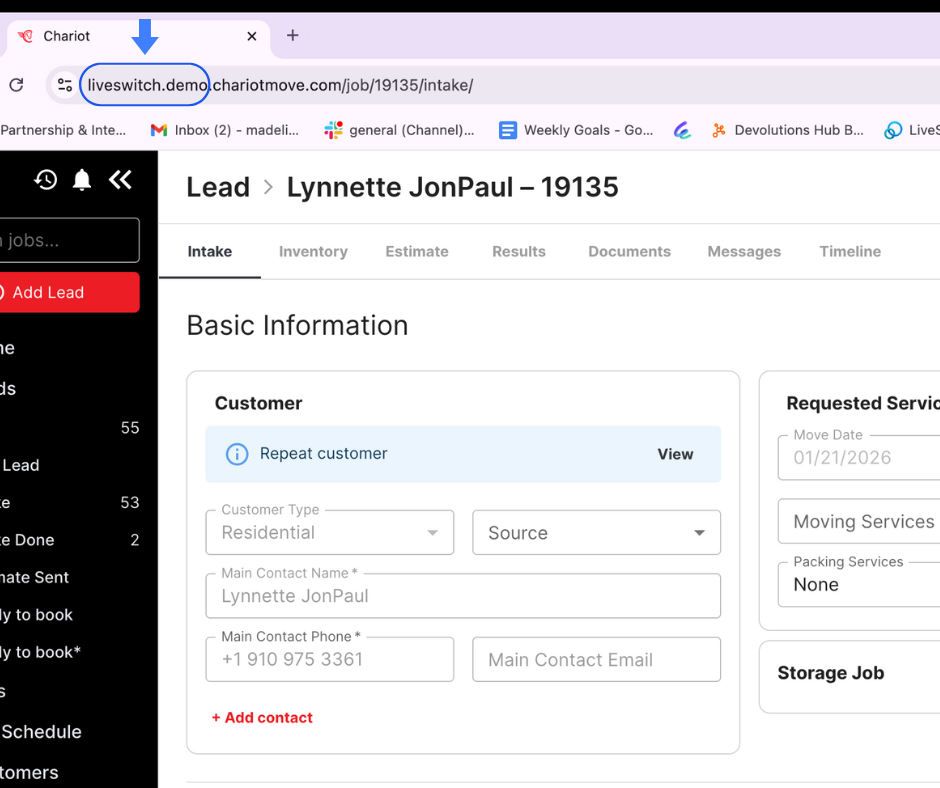
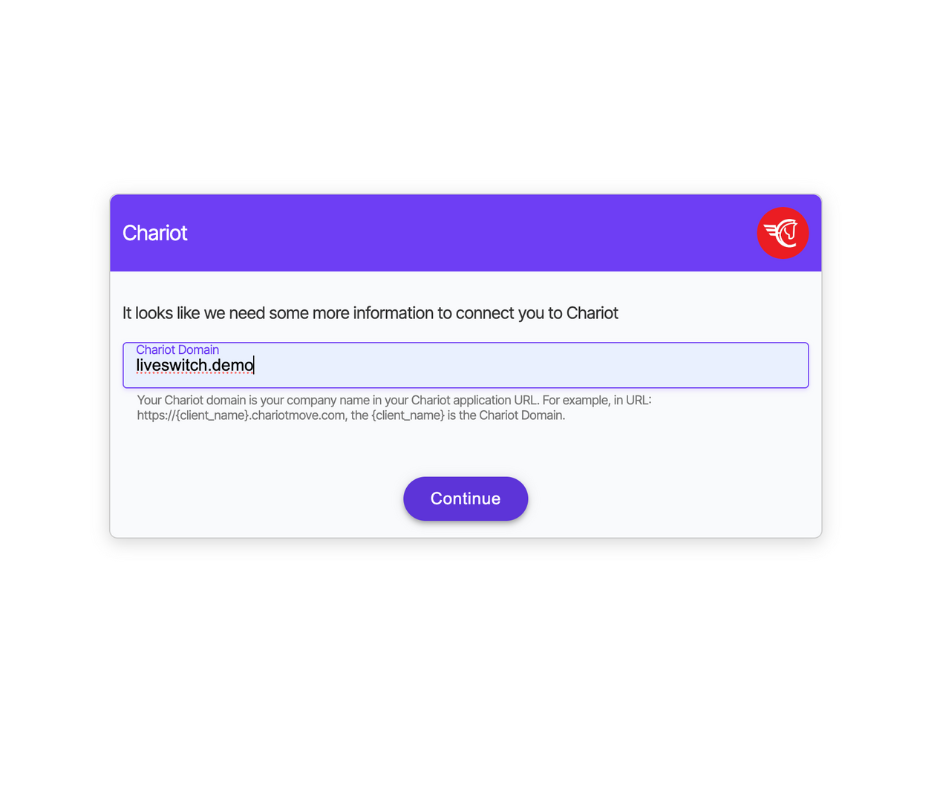
Step 3: Enter your Chariot domain.
This is your business name in the URL link before .chariotmove.com. Example: https://liveswitch.demo.chariotmove.com/ → liveswitch.demo
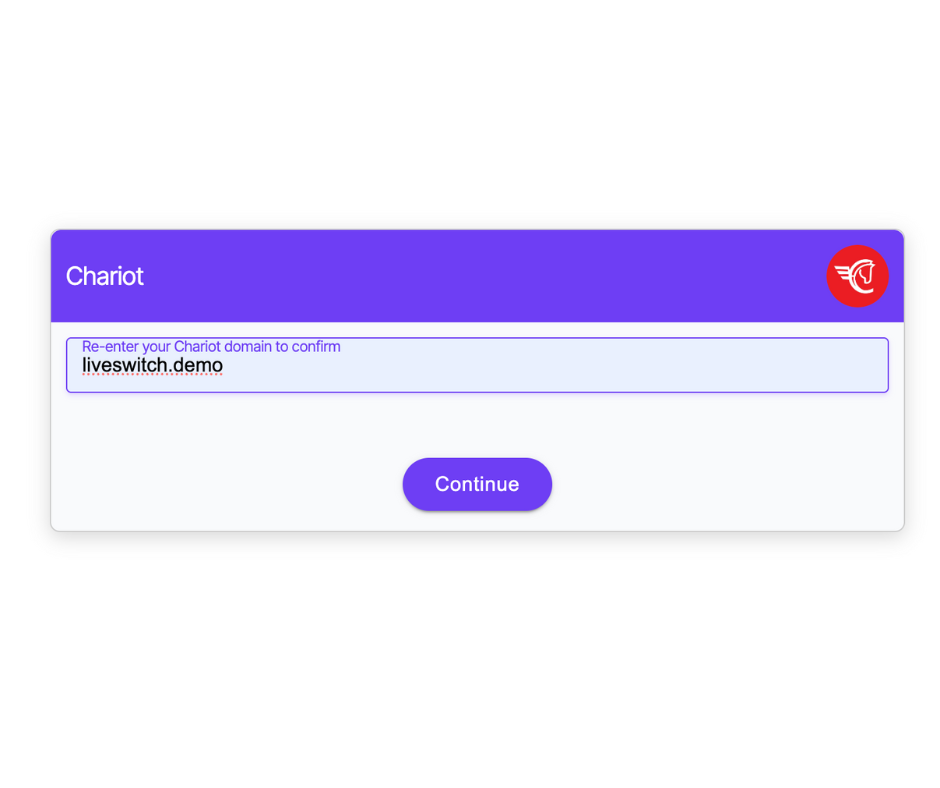
Step 4: Re-enter your Chariot domain.
Step 5: Start using your new integration.
If you run into any issues, please contact [email protected]
To learn more about the LiveSwitch / Chariot integration, view the getting started resources below.
Updated 7 months ago
Did this page help you?